
How AccesSeo works
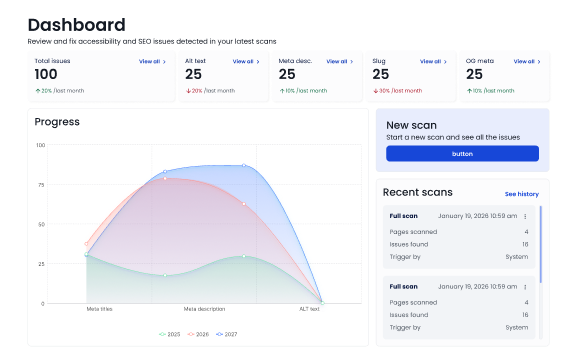
AccesSEO connects to your CMS, scans your content, and generates suggestions that help you stay accessible, visible, and compliant. Everything is synced to your dashboard so you always have a clear overview of what needs attention.
STEP 1
Connect AccesSeo to your CMS
AccesSEO installs as a plugin in WordPress, Strapi, or a custom CMS setup.
Once connected, it can read your media library, page content, and updates.
STEP 2
AccesSEO scans your content
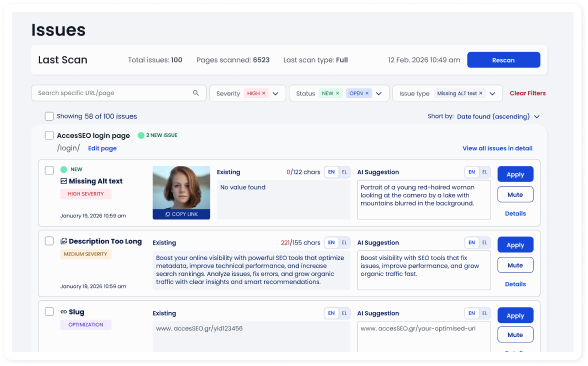
When content is added or updated, AccesSEO reads images, charts, videos, and text blocks.
It identifies what is missing and prepares AI generated suggestions.
STEP 3
Review suggestions and publish
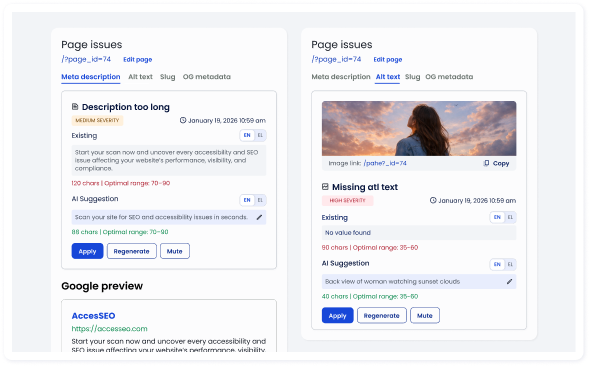
Alt text, descriptions, captions, transcripts, and metadata are created for you.
You can review, adjust, and approve them.
Once approved, they are saved and tracked in your dashboard.
Ready to try AccesSEO?